
I know but I prefer the proper license text as used by Sony.
The text bootedit produces is slighlty off when you start adding your own customized text some of the characters don't even show up or it'll show so many letters on one line and the next on the other.
-
I'm pretty sure you don't have to do that.Originally posted by kh2k4 View Post
I only use BootEdit, and it does everything...
The trick is to make sure you delete all of the text upon each time running the program.
Use both the delete and backspace keys to delete all of the text and just choose the region and click patch.
 Last edited by Mezmorize; 07-17-2010, 04:25:48 AM.
Leave a comment:
-
Making a image from fresh with ImgBurn isn't enough just to make a vaild ps1 image it also has to be licensed with either bootedit or patchit or it'll fail on a real ps1 as well as some emualtors. The way I patch them is to first use bootedit to add the playstation logo then I use patchit to add the license text. I make my images with cdgenps2, I would use psxcdgen but it has an error where all the images come out currupt rendering it somewhat useless. Also imgburn and many other image making software adds the files in order of filename 0-9, A-Z instead of the order you placed them in which fucks the lba order up totally it also adds the folders first instead of any file you may of placed before it.
The PSX.EXE or SYSTEM.CNF should always be at lba 23.Last edited by kh2k4; 07-17-2010, 04:23:11 AM.Leave a comment:
-
I used ImgBurn to make a simple image and used it on emulators.
For my real system I used CDMage to replace an exe on a demo I was already gonna burn, and it works (the Fast Balls EXE that is).
Edit:
Here's the region patcher thingy I used:
http://noinstaller.blogspot.com/2010...-portable.htmlLast edited by Mezmorize; 07-17-2010, 04:09:14 AM.Leave a comment:
-
Interresting I can rebuild these hidden .exe's as valid ps1 images ready for burning or use on any emulator if you want just tell what region they came from.
epsxe doesn't always load the .exe's properly when using that load executable thing instead of image or cdrom.Last edited by kh2k4; 07-17-2010, 04:05:39 AM.Leave a comment:
-
I'll check it out tomorrow. Some programs are coded to work in a specific pad mode. You can change the pad mode in ePSXe by going to the controllers option (change the mode to digital). I'm sure you know how to do this is in pSX already.Leave a comment:
-
Emuparadise has the game, if you want to check it out.
I would have never thought about analog mode making a difference, but the controllers I use on the PC don't even have one.
They are Interact ProgramPad's and a PS1/2 to USB converter.
 Last edited by Mezmorize; 07-16-2010, 08:43:55 PM.
Leave a comment:
-
That's the error you'll want to use UltraISO to bypass, but i just copied MENU.EXE from a virtual drive to the desktop with no problem.
Here's an example of extracting a file using CDMage:

It's a good program to have for PS1 stuff.
For example, you can make a FF7 hacked iso that shows Sephiroth in battle instead of Cloud.Last edited by Mezmorize; 07-16-2010, 08:37:00 PM.Leave a comment:
-
You can mount the disc using Daemon Tools and simply copy, paste it.
http://filehippo.com/download_daemon_tools/
For the stubborn files like .STR, you can use CDMage or UltraISO or similar...Leave a comment:
-
Hey mez, if you extracted the exe from the disc, what program did you use to extract it?Leave a comment:
-
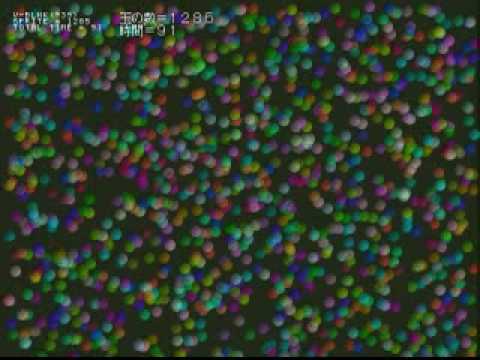
I tried looking for hard coded file names in the exe, but didn't have any luck.
I just ran the Menu.exe with ePSXe on the original disc, and X and Triangle don't seem to do anything.
I didn't do much testing besides simply running it on pSX emulator.Leave a comment:

Leave a comment: