 Tweet
Tweet
Replace Game Boy cart batteries while retaining game saves
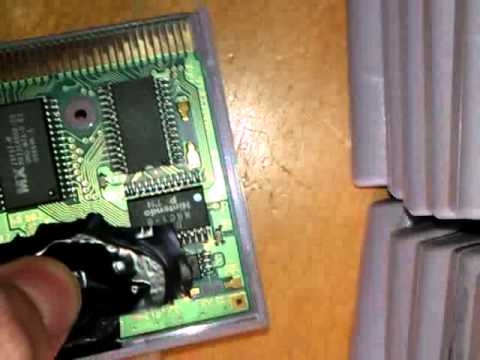
Published on May 2, 2012 by TheAdrMovies
--*This should work with every game that uses a battery to power the SRAM where the savegame is stored on! This includes NES, SNES, N64, GB, GBC, GBA and probably Sega games etc too!*--
(Although there are not to many games with a battery on the NES, N64 and GBA)
I had this idea in mind for quite a long while. But I just took the time today to try it.
This should work for every cartridge battery save game on Nintendo/Sega etc.
It's really easy, I am actually surprised no one tried this before.
Here is how it works:
As a game cart with a dead battery still does save your game as long as it is in your console playing, it means that the SRAM is powered.
The SRAM keeps your data, and has te be powered all the time to keep the data.
So, as the console powers the SRAM, you can just get the battery, and replace it while it's on!
Just make sure the battery is in there securely before you power off the console.
Then take the game out for a few seconds, and plug it back in the console.
If all went well, and the battery was placed correctly, it just should keep your savegame for another 10-20 years! Depending on what battery you put in there.
I recommend a common 2032 3v coin cell battery.
Share this with everyone, redirect them to this video and lets have fun continuing playing our games without worrying about losing our many hours of game play!
Adr990
--*This should work with every game that uses a battery to power the SRAM where the savegame is stored on! This includes NES, SNES, N64, GB, GBC, GBA and probably Sega games etc too!*--
(Although there are not to many games with a battery on the NES, N64 and GBA)
I had this idea in mind for quite a long while. But I just took the time today to try it.
This should work for every cartridge battery save game on Nintendo/Sega etc.
It's really easy, I am actually surprised no one tried this before.
Here is how it works:
As a game cart with a dead battery still does save your game as long as it is in your console playing, it means that the SRAM is powered.
The SRAM keeps your data, and has te be powered all the time to keep the data.
So, as the console powers the SRAM, you can just get the battery, and replace it while it's on!
Just make sure the battery is in there securely before you power off the console.
Then take the game out for a few seconds, and plug it back in the console.
If all went well, and the battery was placed correctly, it just should keep your savegame for another 10-20 years!
Depending on what battery you put in there.I recommend a common 2032 3v coin cell battery.
Share this with everyone, redirect them to this video and lets have fun continuing playing our games without worrying about losing our many hours of game play!
Adr990