 Tweet
Tweet
Uploaded by CONDORSTRIKE on Feb 7, 2012
PS3 Homebrew app.
Visit www.tortuga-cove.com for more.
Source/Download Tortuga Cove
PS3 Homebrew app.
Visit www.tortuga-cove.com for more.
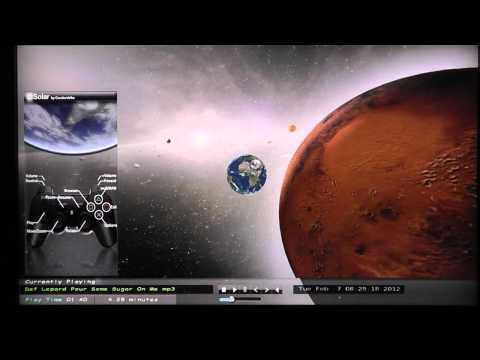
Hi guys, here’s Solar v4.0.
Lots of graphical work went onto this release, including user input… moving the planets and such, plus a lot of other stuff,
check the change-log to see all the new additions, and as always I hope you enjoy.
caw!
Solar v4.0 Changelog:
Added user imput “now planets can be moved/rotated/zoomed” ***Check Help screen for pads usage***
Rotation in any axis 360 degrees, all screens. Zoom and X/Y movement on screen# 1 only.
Added Volume Slider.
Minor Volume adjustment.
Minor Seek adjustment.
Replaced and created a new User Interface.
Added dual time & date Clocks.
Added fade effects.
Added new Help screen “press X”.
Replace & Improved Exit Dialog.
Added atmosphere to some planets. “WIP”
Added Higher resolution textures.
Increased Particles count.
Added comet tails, “grow with speed”
Added new Sound Effects and event triggered vibration.
Background Music (bgm.mp3) and Images are located in ” /dev_hdd0/game/CNDR00001/USRDIR/theme “
Improved Graphics engine.
Improved MP3 read time.
Lots of graphical work went onto this release, including user input… moving the planets and such, plus a lot of other stuff,
check the change-log to see all the new additions, and as always I hope you enjoy.
caw!
Solar v4.0 Changelog:
Added user imput “now planets can be moved/rotated/zoomed” ***Check Help screen for pads usage***
Rotation in any axis 360 degrees, all screens. Zoom and X/Y movement on screen# 1 only.
Added Volume Slider.
Minor Volume adjustment.
Minor Seek adjustment.
Replaced and created a new User Interface.
Added dual time & date Clocks.
Added fade effects.
Added new Help screen “press X”.
Replace & Improved Exit Dialog.
Added atmosphere to some planets. “WIP”
Added Higher resolution textures.
Increased Particles count.
Added comet tails, “grow with speed”
Added new Sound Effects and event triggered vibration.
Background Music (bgm.mp3) and Images are located in ” /dev_hdd0/game/CNDR00001/USRDIR/theme “
Improved Graphics engine.
Improved MP3 read time.