 Tweet
Tweet
By Julian Hill

Waiting. It's not something retro collectors are used to doing. By definition the things we like to buy are old, they are games from bygone eras on systems that are no longer made. Unlike our current gen collecting friends we don't have to wait for midnight launches or DLC release dates. Perhaps this is why when we are forced to wait for something, we're not very good at it - and we have been waiting a long time for the RetroN 5. It really is impossible to look at the console without being reminded of the catalog of PR errors manufacturers Hyperkin have made throughout its development.
The machine was initially said to be going on sale in October 2013. It's taken 14 months for the RetroN 5 to reach the UK and in that time anyone who dared ask Hyperkin was met with anything but a direct answer. That is if their query was acknowledged at all. But now the machine has been officially released in the UK, available through online stores like FunStock it's important to try and cast any negativity you feel towards Hyperkin aside and look at the machine they have created. To do otherwise would deprive you of an excellent system and one that most retro collectors come to adore.
An all-in-one solution
It is worth making absolutely clear from the outset that despite being initially labelled a "clone console" the RetroN 5 is actually an emulator, or more specifically nine emulators. The console runs games designed for the Nintendo NES, Famicom, Super Nintendo, Super Famicom, Sega Mega Drive/Genesis, Game Boy, Game Boy Advance, Game Boy Color and even the Master System (using 'The Power Base' convertor). Unlike systems such as RetroBit's 'Super Retro Trio', the RetroN 5 does not play the games inserted through on-board hardware. Hyperkin has never been crystal clear about the exact way the RetroN 5 works, but the general consensus is that the machine scans an inserted cartridge for a recognizable ROM file (the electronic game data). It then loads this ROM through an appropriate emulator using an Android based operating system.
Consequently, many have argued that you're not actually playing the game you've just put in the system. Instead all you are playing is a digital version of it. This raises the question of why you would want to buy a RetroN 5 at all - especially as the Ouya or even a modestly powerful laptop plugged into your TV would be able to do exactly the same thing. Better yet, with any of these options you would simply need to download the game ROM's you want to play from the Internet, removing the need for physical cartridges at all. If you're of this opinion, the RetroN 5 is most likely not for you. If you're used to playing retro games through the latest versions of emulators installed on your gaming laptop, then you'll find you're already doing everything that the RetroN 5 does and if you're probably able to do it better. You're also probably not the audience this console is designed for.
If you're interested in the RetroN 5 you're most likely someone who doesn't want to go through the process of downloading game ROM's, finding an appropriate emulator and setting it up correctly. Never mind connecting your device to a TV screen and finding a compatible game pad. The RetroN 5 is the machine for you if you have a big library of games and want to see these on a high-definition display in the best possible way, for minimal effort. The RetroN 5 offers convenience over other emulation alternatives and eliminates the technical barrier that keeps some from discovering the superb possibilities offered by optimizing the raw data file rather than simply playing the cartridge.
You would be wrong to think this is a small audience. Anticipation for the RetroN 5 has matched that of a new current generation console and this has translated into sales. FunStock had the largest allocation of units in Europe and sold out within 20 minutes of the console going on sale. Clearly there are a lot of people who see a need for the RetroN 5 and they seem perfectly fine with the idea that it emulates rather than plays retro games. The big money question though is; does it do this well enough to warrant the £140 price? This is after all, more than every other clone consoles, more than an Ouya, and even more than the new and rather mighty JXD S7800 tablet.

A Heated Battle with Original Hardware & Compatibility
Often when critiquing traditional clone consoles, the bulk of a review is devoted to discussing compatibility. If you are buying a machine simply to play your old games, you want to know that it is able to run the majority of your collection. This really was the undoing of the Super Retro Trio which is the RetroN 5's closest rival. While the 'SR3' played Sega games from anywhere in the world almost without fail, support for PAL Nintendo games was hit and miss to say the least. Compatibility issues really aren't a problem with the RetroN 5. Owing to the way it works, provided the machine can find the ROM on an inserted cartridge it will, for the most part, play it, especially if it has the latest firmware. During some quite exhaustive testing, it proved quite the challenge to find an officially released cartridge that wouldn't run. From obscure Japanese Famicom games, to the more recent Game Boy Advance releases, games seemed to run without fail.
Emulators often struggle with Super Nintendo compatibility in particular. Many SNES games have built in proprietary chips, which provide countless headaches to those designing emulators. Super Nintendo games are not, however, a challenge for the RetroN 5. StarFox (which uses the Super FX chip), Mega Man X3 (the cx4 chip), Pilot Wings and Super Mario Kart (using the DSP chip) and even Super Mario RPG (with the SA1 chip onboard) all worked fine, at full speed and full screen. The only game that simply wouldn't run was Street Fighter Alpha 2 which is no doubt due to it being the only game that uses the SDD1 chip. So while it may not be hitting 100% compatibility, one game not working out of many, many, Super Nintendo games tested is quite an impressive result.
In terms of Sega Mega Drive, Virtual Racing on its giant cartridge claims to have "The Sega Virtua processor" chip inside, but that didn't stop it working fine on the RetroN 5. Lock-on carts even work, meaning Sonic The Hedgehog 2 and 3 could both be combined with Sonic and Knuckles and the RetroN 5 ran the modified games perfectly. Other lock-on cartridges such as the Super Game Boy, however, didn't work, but you would never really need it to when you can simply put a Game Boy cart in the front of the RetroN 5. However, Game Boy games are only playable in one player mode though, which isn't that surprising considering you traditionally had to link to machines together to make multiplayer modes possible.
The previously tested Super Retro Trio refused to Castlevania 3 on the Nintendo NES owing to its unique MC5 Chip. The RetroN 5, however, ran this perfectly. Amazingly, I have also heard stories of games that glitch on their original OEM consoles, coming back to life through the RetroN 5. An aging Legend of Zelda cartridge, which wouldn't run without screen tare, worked perfectly when emulated by the RetroN 5. Likewise, games which owing to their age, have failing battery backup can once again be played as intended. This is because the RetroN 5 doesn't write to the deceased cartridge battery, but instead saves games internally.
Regardless of which system you are using, there's a bit of a lag between inserting a cartridge and actually playing the game. This is while the RetroN 5 scans the cartridge looking for content. Sometimes this can be almost instantaneous, but for Game Boy Advance games and those with larger ROM files you'll find yourself waiting up to a minute. It's a noticeable delay if you're eager to play. Once found, the name of the game is displayed and then it can be played. What's significant though is that even if the RetroN 5 has no idea what the game is, if a ROM file is found it will sometimes still play, even though the machine will warn you that an "Unknown Title" has been inserted. Potentially this means that reproduction and homebrew games may run in certain circumstances. Furthermore, a '100 in 1' Game Boy cartridge bought years ago from a street trader in London - despite only featuring five games repeated twenty times - worked perfectly on the RetroN 5.
TimeWalk's reproduction copy of the SNES classic Mega Man and Bass ran perfectly fine, and likewise, a homemade copy of a the Game Boy Advance port of Team 17's Amiga platformer Qwak ran (even though this could only be bought on a cartridge directly from the game's creator). Frustratingly, the powerful flash cartridges Super Everdrive and the Mega Everdrive both wouldn't work. It feels like these have been purposefully disabled in an attempt to avoid anyone labeling the RetroN 5 as "a pirates dream", but it's disappointing none the less.
Similarly, 'Action Replay' cartridges are not supported, nor are region unlocking cartridges like 'The Universal Adaptor'. The reality is though you wouldn't ever need to use either of these, as both perform functions that the RetroN 5 does anyway. The machine can play games from anywhere in the world and game speed can be toggled between 50 and 60hz to ensure they work exactly as they should. This is all done automatically depending on the region of the inserted cartridge, or can also be changed manually through the console's attractive streamlined home menu (accessible from a button on the system's controller).
'Game Genie' cheats can also be applied to games from this menu, which excuses the incompatibility with the 'Action Replay'. Hyperkin clearly see this internal cheat-code feature as a major feature of the machine, always talking about it during interviews. However, in practice it's not as good as touted.
Out of the box, cheat codes can't initially be used and they are only accessible when the "cheat database" is downloaded from Hyperkin's website. Even with this database installed to the console, most PAL games aren't supported and selecting the cheat mode from the menus simply gives a message saying "no cheats for this game". Your own codes can't be inserted, so unless you own only the handful of supported European games (only one PAL SNES game is supported for example) you won't use this in built cheat feature.
Taking Control Of The Action

What works a lot better is the option to save the state of play. At any point when playing, your position in a game can be recorded. Should you wish to return to it, it can be reloaded with ease. This is hardly a new feature to emulation, but it's probably one of the best features of the RetroN 5 from a practical point of view. As adults, the way we play games is different to when we were children. In our youth we could devote hours and days to a game, but with jobs and our own children, often it's now a case of grabbing a few minutes whenever the opportunity arises. This is why the ability to use save states is so fantastic, since it allows for quick bursts into our beloved and time deprived games.
Provided you shut the RetroN 5 down using the home menu, the machine will even record where you were the moment you finished your last session. No longer is playtime dictated by a when the game allows you to save, sessions can be as long or short as you desire. As "Save State" progress is recorded to the console rather than the cartridge, it's worth keeping an eye on when the game does normally allow you to save though. Only these native saves (rather than the artificial save states) can be transferred from the console back onto the cartridge should you wish to continue your game on the original hardware or on a portable device like Hyperkin's own 'SupaBoy'. This, however, is a less than perfect science. Some game saves couldn't be transferred between the cartridge and the console at all and file corruption occurred for other games. On some occasions, a save transferred back to the cartridge simply wasn't recognized when the game was inserted in the original machine and any existing saves had been wiped. In one instance (when playing The Legend of Zelda: Oracle of Ages on the Game Boy Color) the game itself simply wouldn't load until the save that had been transferred from the RetroN 5 was deleted from the cartridge. In reality, if you start a game on the RetroN 5 you will need to finish it on the RetroN 5. This really isn't a hardship though, as once you have seen how good your games look on the machine it's highly unlikely that you will want to put them back into the original consoles.
Some may argue that classic games should never be played on a modern TV as they weren't made for such presentation. They are appearing in a pin sharp way that developers never imagined would be possible at the time of their development. Color gradients in skies look speckled for example and games that were designed with the technical limitations of the display taken into account suffer as a result of crisp screen clarity. They are wrong, however, as every game inserted in the RetroN 5 looks glorious on a HDTV, sharp, bright with no ghosting or color-bleed. If you do dislike sharp pixels the display can be softened using a range of visual filters including Super Eagle, hq2x/lq2x and 2xsal. Scan lines can even be added to give an appearance more in keeping with memories of old. It's worth mentioning that Hyperkin have not suitably credited the creators of these filters or indeed the creators of the emulators used in the system. They have acknowledged this "oversight" but it does seem almost criminal considering how essential the on-board emulators are and how much these filters improve the visuals in many games. With the right options selected, many games look very similar to the HD re-mastered versions of games, such as the PlayStation 3's Sega Mega Drive Collection.
But the reason the system looks so good on modern HDTV's (especially compared to other clone systems) is due to the fact the RetroN 5 outputs a 60 frames per second, 720 progressive signal through its included HDMI lead. However, this is the only way you can plug the RetroN 5 into a TV as there is no composite or aerial outputs to connect to an old CRT. If you favor playing games on older standard definition TVs, this is not the machine for you. That is unless you are happy to get around this with a HDMI signal converter and sacrifice the up-scaling the console offers. As great as this is, it does have one downside: no light gun compatibility.
Power On The Inside...
Although the base of the console is a solid plastic that should resist the ravages of time, the casing on top that separates the different system card slots is thin; bending and warping as various cartridges are inserted. Despite the comparatively high price point, it feels that some cheap materials have been used and there is a good chance that the top section will snap or at least bend after prolonged use. The cartridge connector pins themselves are also very tight; gripping inserted games like a vice. Hyperkin have even had to make videos showing how cartridges need to be removed safely (by pulling from the right corner rather than directly up) to avoid damaging the pins. To make this worse, switching between emulated machines requires all cartridges to be removed as the RetroN 5 will not run with more than one game inserted. Conversely, the games can't be removed during play even though they are technically not being used by the system once the ROM file has been ripped.
The other big disappointment with the RetroN 5 is the included controller, which surely ranks amongst the worst included with a machine since the 8-bit era. Gone are the wireless Saturn-eque controllers of the RetroN 3 and in their place is a hideous boxy design. The thumb stick, like all the buttons, use micro switches which prove imprecise and noisy. Playing games similar to Street Fighter 2 which require circular movements of the D-Pad is somewhat pointless, as the face buttons inputs don't register if they are pressed lightly. The controllers are significantly worse than the superb equivalents bundled with the Super Retro Trio, proving to be nothing more than glorified home menu buttons.
While the included controllers are wireless and connect to the system via Bluetooth, the RetroN 5 does not support other Bluetooth controllers. Thankfully, It does allow you to use original system controllers which can be inserted into designated ports on the sides on the console. As is the case with the Super Retro Trio, you are also not forced to use a controller that matches the emulator. Mega Drive games can be played with the superior SNES controller and buttons can even be re-mapped to suit player preference. Though four player adapters like the 'NES Four Score' do not work, the fact that the RetroN 5 has six controller inputs (and two extra if you can cope with playing a game using the included controllers) means you don't really need them. For example, a game of Super Bomberman 2 could be played with four players using two SNES controllers, and two Super Retro Trio controllers plugged into the matching Genesis ports.
The one saving grace of the pad is the inclusion of two extra face buttons which can perform pretty much any task you desire. With a quick press of one of these buttons, it is possible to save or load a game state, take a screenshot or even manipulate the game's speed, all of which prove very useful. This is all only possible thanks to the RetroN 5 being an emulation machine, rather than a clone console - and there are other benefits that come with this choice of architecture. The system has 1.2gb of storage memory built-in, which is used to save games and screenshots. These can be also be transferred to a SD card (which isn't included), but more importantly, the inclusion of the SD card slot also allows Hyperkin to upgrade the software should they need to. So far, two firmware upgrades have been offered, both of which improved system stability and added compatibility for games that early adopters reported not to work. It's worth keeping on top of these updates. Hyperkin have pledged that they ultimately want 100% of games to be compatible with the RetroN 5, and unlike clone consoles, the fact that the machine is software based, means the catalog of supported games can be improved. The process to upgrade though is far too complex. It was only possible to do it following a step by step online guide and even then it took twenty minutes to do. It's worth the effort for the improved compatibility, but when you're used to modern systems doing it effortlessly via WiFi it does seem harder than it needs to be.
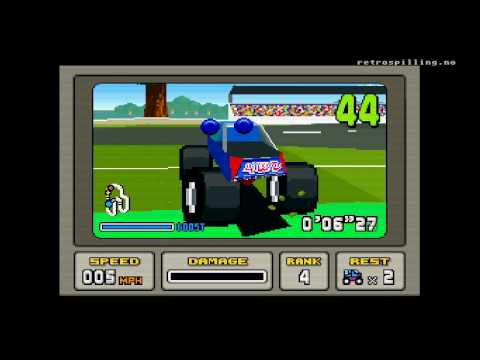
RetroN 5 Gameplay Sample
Conclusion
Clearly there are benefits to the RetroN 5 being "only a glorified emulator". Those who don't see the point in the system will not be convinced by the fantastic video output, the impressive software compatibility or the versatility on offer by playing the ROM files rather than the cartridges. Maybe this hatred of the console (without actually playing it) comes from Hyperkin's early approach to the audience. Though this is understandable, critics of the RetroN 5 are the ones missing out, as anyone willing to try the very modern things the console does will not be disappointed.
The RetroN 5 really is the ultimate machine for modern gamers who like retro games. What it puts up on your HD screen looks better than ever and sounds superb. The emulation approach suits the way we play games now. It allows for shorter play sessions and the use of save states removes a lot of the frustrations that comes with returning to brutally hard retro games when you're used to the all too frequent continue points in modern games.
Anyone buying a new machine to play their old games ultimately desires just two things: They want their games to work and they want them to play well, ideally better than their original machines. The RetroN 5 confidently ticks both of these boxes. It may have an awful controller and a bendy plastic case but that doesn't stop the console from being a superb machine that every retro gamer should have. If you like old games you owe it to yourself to buy a RetroN 5, either to sit alongside your legacy consoles or to replace them for good.
Link: RetroN 5 Console at FunStock
Link: Official RetroN 5 Website at Hyperkin.com
Waiting. It's not something retro collectors are used to doing. By definition the things we like to buy are old, they are games from bygone eras on systems that are no longer made. Unlike our current gen collecting friends we don't have to wait for midnight launches or DLC release dates. Perhaps this is why when we are forced to wait for something, we're not very good at it - and we have been waiting a long time for the RetroN 5. It really is impossible to look at the console without being reminded of the catalog of PR errors manufacturers Hyperkin have made throughout its development.
The machine was initially said to be going on sale in October 2013. It's taken 14 months for the RetroN 5 to reach the UK and in that time anyone who dared ask Hyperkin was met with anything but a direct answer. That is if their query was acknowledged at all. But now the machine has been officially released in the UK, available through online stores like FunStock it's important to try and cast any negativity you feel towards Hyperkin aside and look at the machine they have created. To do otherwise would deprive you of an excellent system and one that most retro collectors come to adore.
An all-in-one solution
It is worth making absolutely clear from the outset that despite being initially labelled a "clone console" the RetroN 5 is actually an emulator, or more specifically nine emulators. The console runs games designed for the Nintendo NES, Famicom, Super Nintendo, Super Famicom, Sega Mega Drive/Genesis, Game Boy, Game Boy Advance, Game Boy Color and even the Master System (using 'The Power Base' convertor). Unlike systems such as RetroBit's 'Super Retro Trio', the RetroN 5 does not play the games inserted through on-board hardware. Hyperkin has never been crystal clear about the exact way the RetroN 5 works, but the general consensus is that the machine scans an inserted cartridge for a recognizable ROM file (the electronic game data). It then loads this ROM through an appropriate emulator using an Android based operating system.
Consequently, many have argued that you're not actually playing the game you've just put in the system. Instead all you are playing is a digital version of it. This raises the question of why you would want to buy a RetroN 5 at all - especially as the Ouya or even a modestly powerful laptop plugged into your TV would be able to do exactly the same thing. Better yet, with any of these options you would simply need to download the game ROM's you want to play from the Internet, removing the need for physical cartridges at all. If you're of this opinion, the RetroN 5 is most likely not for you. If you're used to playing retro games through the latest versions of emulators installed on your gaming laptop, then you'll find you're already doing everything that the RetroN 5 does and if you're probably able to do it better. You're also probably not the audience this console is designed for.
If you're interested in the RetroN 5 you're most likely someone who doesn't want to go through the process of downloading game ROM's, finding an appropriate emulator and setting it up correctly. Never mind connecting your device to a TV screen and finding a compatible game pad. The RetroN 5 is the machine for you if you have a big library of games and want to see these on a high-definition display in the best possible way, for minimal effort. The RetroN 5 offers convenience over other emulation alternatives and eliminates the technical barrier that keeps some from discovering the superb possibilities offered by optimizing the raw data file rather than simply playing the cartridge.
You would be wrong to think this is a small audience. Anticipation for the RetroN 5 has matched that of a new current generation console and this has translated into sales. FunStock had the largest allocation of units in Europe and sold out within 20 minutes of the console going on sale. Clearly there are a lot of people who see a need for the RetroN 5 and they seem perfectly fine with the idea that it emulates rather than plays retro games. The big money question though is; does it do this well enough to warrant the £140 price? This is after all, more than every other clone consoles, more than an Ouya, and even more than the new and rather mighty JXD S7800 tablet.
A Heated Battle with Original Hardware & Compatibility
Often when critiquing traditional clone consoles, the bulk of a review is devoted to discussing compatibility. If you are buying a machine simply to play your old games, you want to know that it is able to run the majority of your collection. This really was the undoing of the Super Retro Trio which is the RetroN 5's closest rival. While the 'SR3' played Sega games from anywhere in the world almost without fail, support for PAL Nintendo games was hit and miss to say the least. Compatibility issues really aren't a problem with the RetroN 5. Owing to the way it works, provided the machine can find the ROM on an inserted cartridge it will, for the most part, play it, especially if it has the latest firmware. During some quite exhaustive testing, it proved quite the challenge to find an officially released cartridge that wouldn't run. From obscure Japanese Famicom games, to the more recent Game Boy Advance releases, games seemed to run without fail.
Emulators often struggle with Super Nintendo compatibility in particular. Many SNES games have built in proprietary chips, which provide countless headaches to those designing emulators. Super Nintendo games are not, however, a challenge for the RetroN 5. StarFox (which uses the Super FX chip), Mega Man X3 (the cx4 chip), Pilot Wings and Super Mario Kart (using the DSP chip) and even Super Mario RPG (with the SA1 chip onboard) all worked fine, at full speed and full screen. The only game that simply wouldn't run was Street Fighter Alpha 2 which is no doubt due to it being the only game that uses the SDD1 chip. So while it may not be hitting 100% compatibility, one game not working out of many, many, Super Nintendo games tested is quite an impressive result.
In terms of Sega Mega Drive, Virtual Racing on its giant cartridge claims to have "The Sega Virtua processor" chip inside, but that didn't stop it working fine on the RetroN 5. Lock-on carts even work, meaning Sonic The Hedgehog 2 and 3 could both be combined with Sonic and Knuckles and the RetroN 5 ran the modified games perfectly. Other lock-on cartridges such as the Super Game Boy, however, didn't work, but you would never really need it to when you can simply put a Game Boy cart in the front of the RetroN 5. However, Game Boy games are only playable in one player mode though, which isn't that surprising considering you traditionally had to link to machines together to make multiplayer modes possible.
The previously tested Super Retro Trio refused to Castlevania 3 on the Nintendo NES owing to its unique MC5 Chip. The RetroN 5, however, ran this perfectly. Amazingly, I have also heard stories of games that glitch on their original OEM consoles, coming back to life through the RetroN 5. An aging Legend of Zelda cartridge, which wouldn't run without screen tare, worked perfectly when emulated by the RetroN 5. Likewise, games which owing to their age, have failing battery backup can once again be played as intended. This is because the RetroN 5 doesn't write to the deceased cartridge battery, but instead saves games internally.
Regardless of which system you are using, there's a bit of a lag between inserting a cartridge and actually playing the game. This is while the RetroN 5 scans the cartridge looking for content. Sometimes this can be almost instantaneous, but for Game Boy Advance games and those with larger ROM files you'll find yourself waiting up to a minute. It's a noticeable delay if you're eager to play. Once found, the name of the game is displayed and then it can be played. What's significant though is that even if the RetroN 5 has no idea what the game is, if a ROM file is found it will sometimes still play, even though the machine will warn you that an "Unknown Title" has been inserted. Potentially this means that reproduction and homebrew games may run in certain circumstances. Furthermore, a '100 in 1' Game Boy cartridge bought years ago from a street trader in London - despite only featuring five games repeated twenty times - worked perfectly on the RetroN 5.
TimeWalk's reproduction copy of the SNES classic Mega Man and Bass ran perfectly fine, and likewise, a homemade copy of a the Game Boy Advance port of Team 17's Amiga platformer Qwak ran (even though this could only be bought on a cartridge directly from the game's creator). Frustratingly, the powerful flash cartridges Super Everdrive and the Mega Everdrive both wouldn't work. It feels like these have been purposefully disabled in an attempt to avoid anyone labeling the RetroN 5 as "a pirates dream", but it's disappointing none the less.
Similarly, 'Action Replay' cartridges are not supported, nor are region unlocking cartridges like 'The Universal Adaptor'. The reality is though you wouldn't ever need to use either of these, as both perform functions that the RetroN 5 does anyway. The machine can play games from anywhere in the world and game speed can be toggled between 50 and 60hz to ensure they work exactly as they should. This is all done automatically depending on the region of the inserted cartridge, or can also be changed manually through the console's attractive streamlined home menu (accessible from a button on the system's controller).
'Game Genie' cheats can also be applied to games from this menu, which excuses the incompatibility with the 'Action Replay'. Hyperkin clearly see this internal cheat-code feature as a major feature of the machine, always talking about it during interviews. However, in practice it's not as good as touted.
Out of the box, cheat codes can't initially be used and they are only accessible when the "cheat database" is downloaded from Hyperkin's website. Even with this database installed to the console, most PAL games aren't supported and selecting the cheat mode from the menus simply gives a message saying "no cheats for this game". Your own codes can't be inserted, so unless you own only the handful of supported European games (only one PAL SNES game is supported for example) you won't use this in built cheat feature.
Taking Control Of The Action
What works a lot better is the option to save the state of play. At any point when playing, your position in a game can be recorded. Should you wish to return to it, it can be reloaded with ease. This is hardly a new feature to emulation, but it's probably one of the best features of the RetroN 5 from a practical point of view. As adults, the way we play games is different to when we were children. In our youth we could devote hours and days to a game, but with jobs and our own children, often it's now a case of grabbing a few minutes whenever the opportunity arises. This is why the ability to use save states is so fantastic, since it allows for quick bursts into our beloved and time deprived games.
Provided you shut the RetroN 5 down using the home menu, the machine will even record where you were the moment you finished your last session. No longer is playtime dictated by a when the game allows you to save, sessions can be as long or short as you desire. As "Save State" progress is recorded to the console rather than the cartridge, it's worth keeping an eye on when the game does normally allow you to save though. Only these native saves (rather than the artificial save states) can be transferred from the console back onto the cartridge should you wish to continue your game on the original hardware or on a portable device like Hyperkin's own 'SupaBoy'. This, however, is a less than perfect science. Some game saves couldn't be transferred between the cartridge and the console at all and file corruption occurred for other games. On some occasions, a save transferred back to the cartridge simply wasn't recognized when the game was inserted in the original machine and any existing saves had been wiped. In one instance (when playing The Legend of Zelda: Oracle of Ages on the Game Boy Color) the game itself simply wouldn't load until the save that had been transferred from the RetroN 5 was deleted from the cartridge. In reality, if you start a game on the RetroN 5 you will need to finish it on the RetroN 5. This really isn't a hardship though, as once you have seen how good your games look on the machine it's highly unlikely that you will want to put them back into the original consoles.
Some may argue that classic games should never be played on a modern TV as they weren't made for such presentation. They are appearing in a pin sharp way that developers never imagined would be possible at the time of their development. Color gradients in skies look speckled for example and games that were designed with the technical limitations of the display taken into account suffer as a result of crisp screen clarity. They are wrong, however, as every game inserted in the RetroN 5 looks glorious on a HDTV, sharp, bright with no ghosting or color-bleed. If you do dislike sharp pixels the display can be softened using a range of visual filters including Super Eagle, hq2x/lq2x and 2xsal. Scan lines can even be added to give an appearance more in keeping with memories of old. It's worth mentioning that Hyperkin have not suitably credited the creators of these filters or indeed the creators of the emulators used in the system. They have acknowledged this "oversight" but it does seem almost criminal considering how essential the on-board emulators are and how much these filters improve the visuals in many games. With the right options selected, many games look very similar to the HD re-mastered versions of games, such as the PlayStation 3's Sega Mega Drive Collection.
But the reason the system looks so good on modern HDTV's (especially compared to other clone systems) is due to the fact the RetroN 5 outputs a 60 frames per second, 720 progressive signal through its included HDMI lead. However, this is the only way you can plug the RetroN 5 into a TV as there is no composite or aerial outputs to connect to an old CRT. If you favor playing games on older standard definition TVs, this is not the machine for you. That is unless you are happy to get around this with a HDMI signal converter and sacrifice the up-scaling the console offers. As great as this is, it does have one downside: no light gun compatibility.
Power On The Inside...
Although the base of the console is a solid plastic that should resist the ravages of time, the casing on top that separates the different system card slots is thin; bending and warping as various cartridges are inserted. Despite the comparatively high price point, it feels that some cheap materials have been used and there is a good chance that the top section will snap or at least bend after prolonged use. The cartridge connector pins themselves are also very tight; gripping inserted games like a vice. Hyperkin have even had to make videos showing how cartridges need to be removed safely (by pulling from the right corner rather than directly up) to avoid damaging the pins. To make this worse, switching between emulated machines requires all cartridges to be removed as the RetroN 5 will not run with more than one game inserted. Conversely, the games can't be removed during play even though they are technically not being used by the system once the ROM file has been ripped.
The other big disappointment with the RetroN 5 is the included controller, which surely ranks amongst the worst included with a machine since the 8-bit era. Gone are the wireless Saturn-eque controllers of the RetroN 3 and in their place is a hideous boxy design. The thumb stick, like all the buttons, use micro switches which prove imprecise and noisy. Playing games similar to Street Fighter 2 which require circular movements of the D-Pad is somewhat pointless, as the face buttons inputs don't register if they are pressed lightly. The controllers are significantly worse than the superb equivalents bundled with the Super Retro Trio, proving to be nothing more than glorified home menu buttons.
While the included controllers are wireless and connect to the system via Bluetooth, the RetroN 5 does not support other Bluetooth controllers. Thankfully, It does allow you to use original system controllers which can be inserted into designated ports on the sides on the console. As is the case with the Super Retro Trio, you are also not forced to use a controller that matches the emulator. Mega Drive games can be played with the superior SNES controller and buttons can even be re-mapped to suit player preference. Though four player adapters like the 'NES Four Score' do not work, the fact that the RetroN 5 has six controller inputs (and two extra if you can cope with playing a game using the included controllers) means you don't really need them. For example, a game of Super Bomberman 2 could be played with four players using two SNES controllers, and two Super Retro Trio controllers plugged into the matching Genesis ports.
The one saving grace of the pad is the inclusion of two extra face buttons which can perform pretty much any task you desire. With a quick press of one of these buttons, it is possible to save or load a game state, take a screenshot or even manipulate the game's speed, all of which prove very useful. This is all only possible thanks to the RetroN 5 being an emulation machine, rather than a clone console - and there are other benefits that come with this choice of architecture. The system has 1.2gb of storage memory built-in, which is used to save games and screenshots. These can be also be transferred to a SD card (which isn't included), but more importantly, the inclusion of the SD card slot also allows Hyperkin to upgrade the software should they need to. So far, two firmware upgrades have been offered, both of which improved system stability and added compatibility for games that early adopters reported not to work. It's worth keeping on top of these updates. Hyperkin have pledged that they ultimately want 100% of games to be compatible with the RetroN 5, and unlike clone consoles, the fact that the machine is software based, means the catalog of supported games can be improved. The process to upgrade though is far too complex. It was only possible to do it following a step by step online guide and even then it took twenty minutes to do. It's worth the effort for the improved compatibility, but when you're used to modern systems doing it effortlessly via WiFi it does seem harder than it needs to be.
RetroN 5 Gameplay Sample
Conclusion
Clearly there are benefits to the RetroN 5 being "only a glorified emulator". Those who don't see the point in the system will not be convinced by the fantastic video output, the impressive software compatibility or the versatility on offer by playing the ROM files rather than the cartridges. Maybe this hatred of the console (without actually playing it) comes from Hyperkin's early approach to the audience. Though this is understandable, critics of the RetroN 5 are the ones missing out, as anyone willing to try the very modern things the console does will not be disappointed.
The RetroN 5 really is the ultimate machine for modern gamers who like retro games. What it puts up on your HD screen looks better than ever and sounds superb. The emulation approach suits the way we play games now. It allows for shorter play sessions and the use of save states removes a lot of the frustrations that comes with returning to brutally hard retro games when you're used to the all too frequent continue points in modern games.
Anyone buying a new machine to play their old games ultimately desires just two things: They want their games to work and they want them to play well, ideally better than their original machines. The RetroN 5 confidently ticks both of these boxes. It may have an awful controller and a bendy plastic case but that doesn't stop the console from being a superb machine that every retro gamer should have. If you like old games you owe it to yourself to buy a RetroN 5, either to sit alongside your legacy consoles or to replace them for good.
Link: RetroN 5 Console at FunStock
Link: Official RetroN 5 Website at Hyperkin.com